





metaPhasic Group · Software Studio

World-class work, no shortcuts.

Premium products, designed and engineered under one roof: FileRadar for Mac, and Luma — seven icon finishes for Android, 315 icons per finish.

Luma — Regular app icon
Regular
Luma — Dark app icon
Dark
Luma — Gradient app icon
Gradient
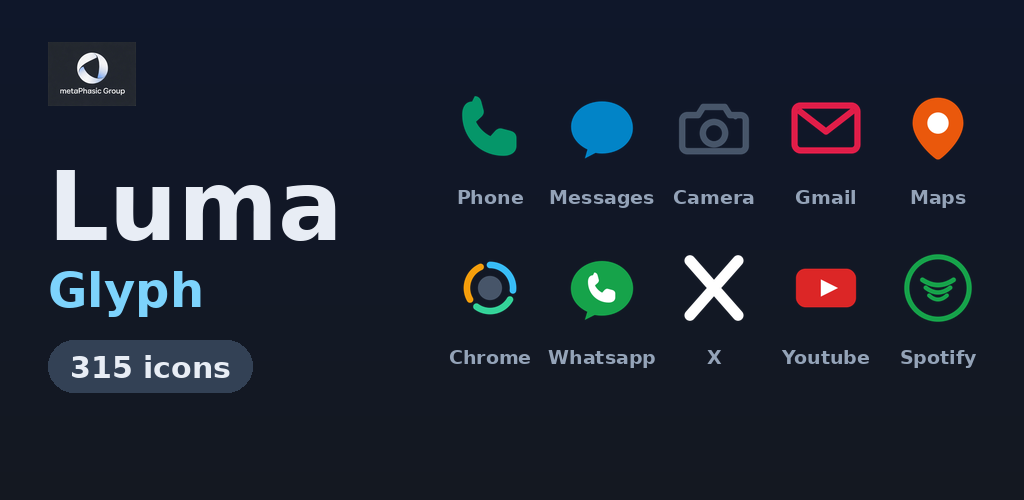
Luma — Glyph app icon
Glyph
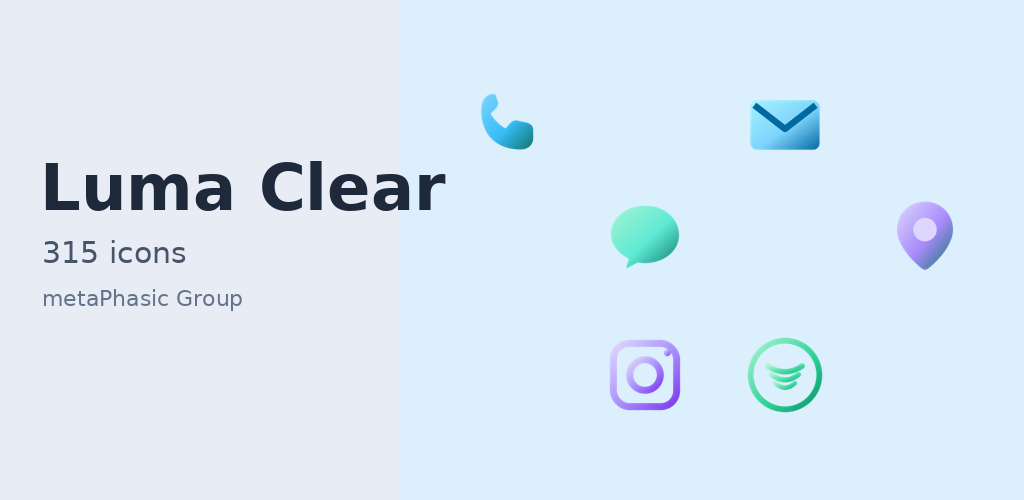
Luma — Clear app icon
Clear
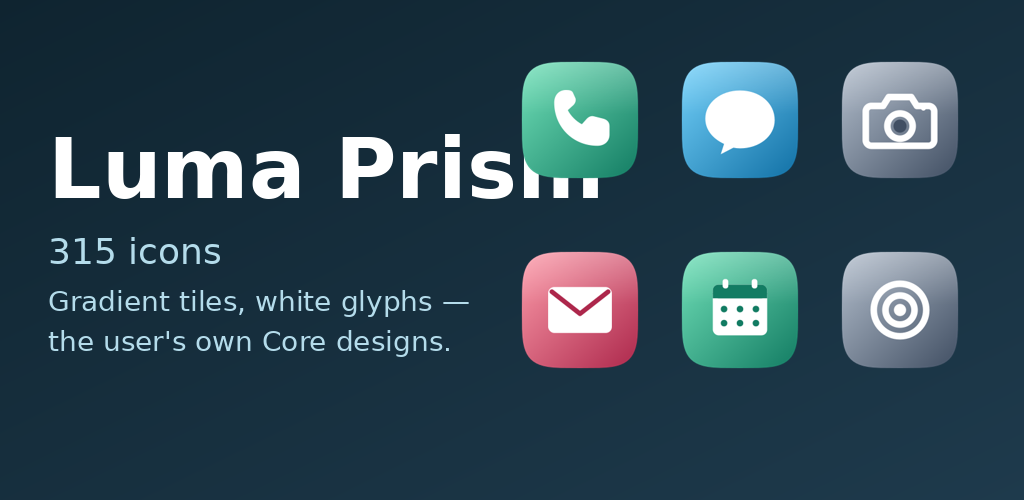
Luma — Prism app icon
Prism
Luma — Midnight app icon
Midnight

FileRadar

Your downloads, finally in order. Shelves by kind, plain-language search, and Muse chat — on your Mac, with nothing uploaded.

See FileRadar
FileRadar Home view with shelves by kind
FileRadar Home — shelves by kind

FileRadar

Your downloads, finally in order.

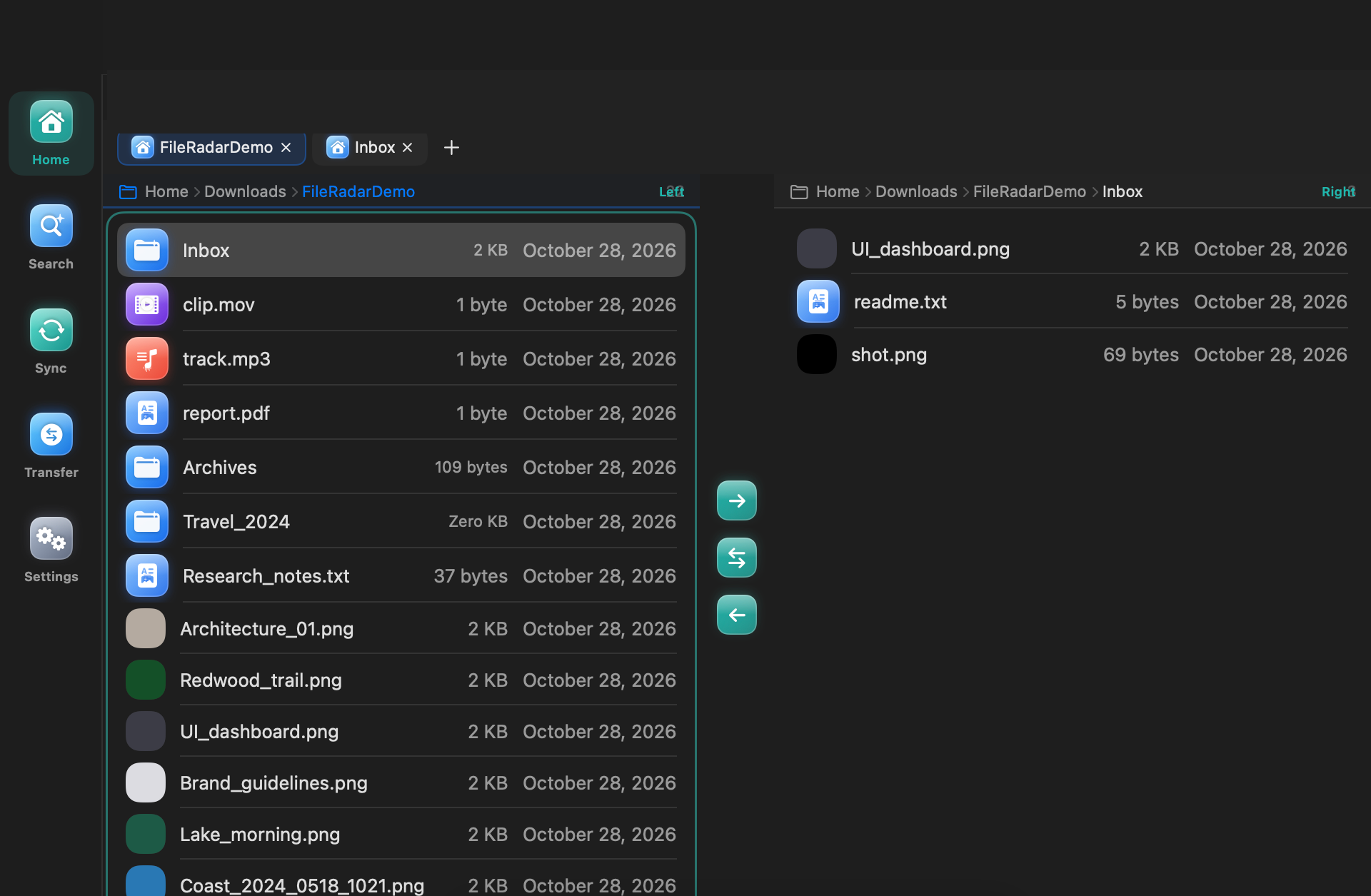
FileRadar is a Finder alternative for Mac that organises downloads and files into clear shelves by kind, so you can find what you saved and clear what you no longer need without digging through folders. Your files stay where they are, and Finder remains available; FileRadar adds its own views for finding and tidying files. Indexing, search, and OCR run entirely on your Mac, with no account and nothing uploaded. Cleanup sends files to the Trash, never straight to permanent deletion, so you can undo.

  • Shelves by kind: images, documents, videos, audio, archives, and everything else, each on its own shelf
  • Natural-language search: type in plain words, such as “invoices from last month”, and edit the filter chips that form from your words
  • On-device OCR: text inside images and scans becomes searchable, processed entirely on your Mac
  • Downloaded From grouping: see downloads grouped by where they came from
  • Duplicates view: find copies of the same file, compare them side by side, and confirm before anything moves to the Trash
  • Clean Up view: a calm review of large, old, or unneeded files, with a clear summary of what will go to the Trash
  • Dual-pane mode: optional and off by default; turn on a second pane and drag files between panes
  • Drop Stack: a temporary holding tray in the sidebar for gathering files before dropping the whole stack where it belongs
  • Tabs: open several locations in tabs in one window, restored when you relaunch
  • Saved workspaces: named layouts that restore your sidebar, panes, and tabs in one click
  • Folder sizes, on demand: worked out in the background and shown in place, with more ways to sort, never a blocking scan
  • Modular inspector: Preview, Info, Tags, and Permissions as collapsible modules in one inspector
  • Archive browsing: open an archive as if it were a folder, read-only, and extract only what you need, on demand
  • Command palette: press Cmd-K for every action, with full keyboard navigation
  • Muse chat in FileRadar: ask about your files in plain words and act on them from inside FileRadar, with your approval before anything moves; powered by Muse Spark through Meta's Model API and requires a Meta developer configuration; your personal Muse app history and memory do not carry over into FileRadar, and FileRadar is not affiliated with or endorsed by Meta
  • Secure login for Muse chat: sign in through a secure authorisation flow that exchanges a one-time code for access, with credentials kept in your Mac's Keychain, not in a plain file
  • Voice: speak your request instead of typing it and hear a spoken reply back, as part of the Muse chat experience in the app
  • System requirements: macOS 14 or later, on Apple silicon and Intel Macs, with full keyboard navigation and VoiceOver support

Interface screenshots

Plain-language search with filter chips
Plain-language search
FileRadar Timeline view
Timeline
FileRadar Disk Map view
Disk Map
FileRadar Muse chat, not connected
Muse chat
FileRadar dual-pane view
Dual pane

About these previews

FileRadar is not affiliated with or endorsed by Meta.

1 Mac, USD. Launch date to be set.

Luma — Regular app icon

Luma — Regular

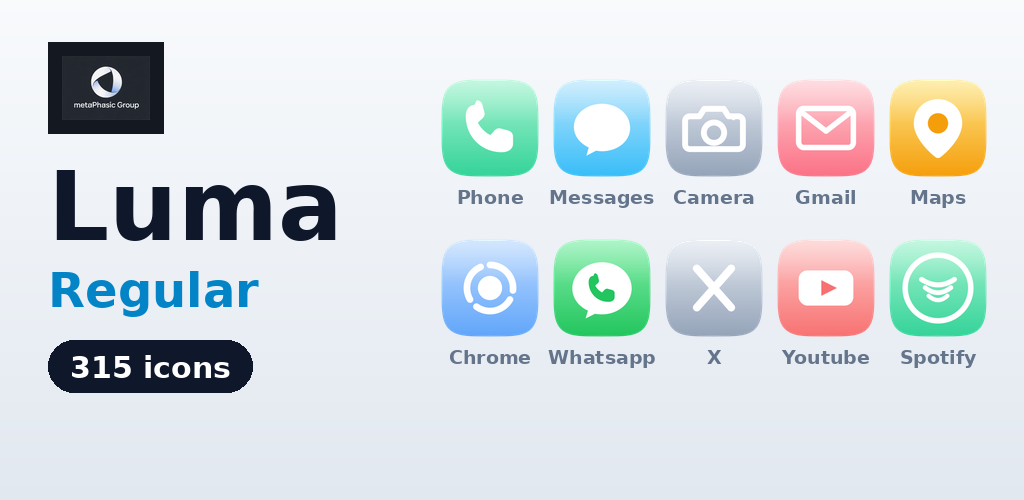
Light, colorful icons with restraint. 315 icons, one calm look.

Luma Regular is the light, colorful set: pale, luminous squircle tiles in restrained tints, with white glyphs and a soft top gloss. Every icon shares one squircle shape, one grid, one lighting direction, and one bold stroke language, so the home screen reads as one family. Each set includes 315 icons: 196 verified AppBrain US Top Free chart apps (Oct 25, 2026), 100 documented fallback apps, plus core system icons and user extras. Artwork is composed from the real built icons; home-screen images are mockups, not screenshots of a tested home screen.

  • 315 icons in the Regular finish
  • One coherent style: superellipse squircle tile, vertical gradient from each icon's light tint to its main colour, white glyph, and gloss fading from the top edge
  • Built-in dashboard to browse all 315 icons, apply the pack, see the other Luma sets, and prepare an icon-request note you copy or share yourself
  • 10 wallpapers (1080 × 1920) in the Luma palette: 3 light, 3 dark, 4 mid-tone, previewed and set from the dashboard's Wallpapers tab (home + lock screen)
  • Two home-screen widgets in Luma styling: a clock widget (~4×2 cells; tap opens alarms) and a search bar widget (~4×1; tap opens the device's search UI), added from your launcher's widget picker
  • Dynamic calendar icon for Samsung Calendar: the calendar icon shows today's date where the launcher supports dynamic calendar icons; on launchers without that support, the ordinary static Luma calendar icon is shown instead
  • No dynamic clock-icon handling: the clock widget shows the time, but no app icon changes with the time of day

Compatibility

Requires a custom launcher that supports third-party icon packs. Launcher compatibility is being verified; the supported list will be updated as testing completes. ZERO launchers have been emulator/device tested for this pack as of this draft. No launcher is listed here as supported or tested, and this listing does not claim “all launchers” support. Stock Pixel launcher is UNSUPPORTED: the stock Pixel launcher does not support third-party icon packs. Samsung One UI Home is via Good Lock Theme Park ONLY (Good Lock → Theme Park → Icon → Create New → Iconpack → select the installed pack → save/apply; requires One UI 4+; Good Lock availability varies by region). This route is documented, not tested — it has not been verified against Luma on a device. No launcher is claimed as supporting dynamic calendar icons until tested. Some launchers apply their own shape/size settings to all icons.

Coverage

Icons are included for 315 apps, and launcher mappings cover 234 of them at launch — 198 verified, plus 36 community-reported (sourced from community icon-pack databases, not yet device-verified) — expanding via updates. On install, 234 icons theme directly. Other apps fall back to the pack's squircle backplate and mask treatment (the launcher composites the original icon onto a Regular-style tile with gloss), so unmapped apps stay coherent rather than broken. Do not expect all 315 apps to theme on install at launch.

Note

Luma is not affiliated with, endorsed by, or sponsored by any app developer whose app has an icon. App names are used only to identify which app each icon is for. Luma's glyphs are original simplified interpretations of each app's function, not reproductions of trademarked logos. The app collects no account and sends nothing on its own; the dashboard's Request tab produces user-shared text only.

Luma — Dark app icon

Luma — Dark

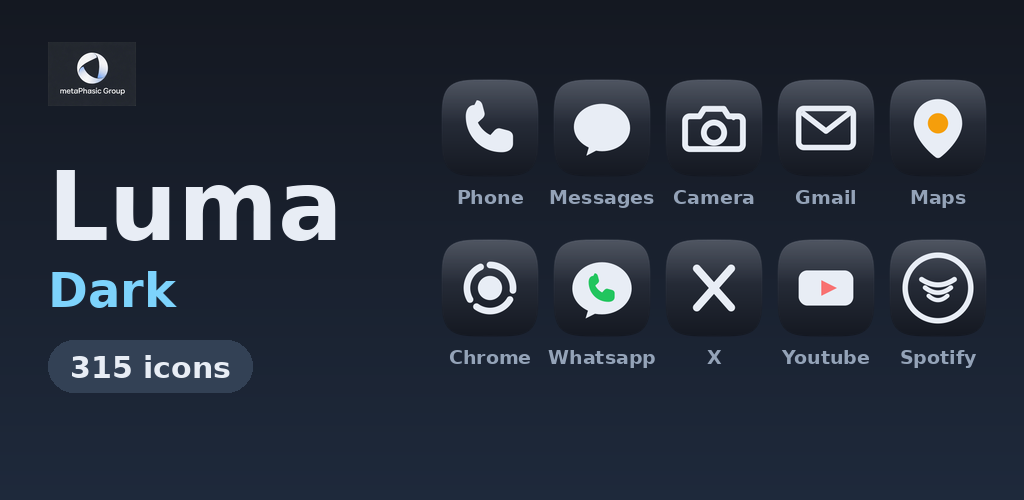
Quiet dark icons with platinum glyphs. 315 icons, one calm look.

Luma Dark is the dark set: every icon sits on a deep slate tile (gradient #333A48 → #141821), with glyphs in soft platinum #E8EDF5 and a quiet top gloss. Colour appears only in small cut-out accents, so a dark home screen stays calm and the set reads as one family. Each set includes 315 icons: 196 verified AppBrain US Top Free chart apps (Oct 25, 2026), 100 documented fallback apps, plus core system icons and user extras. Artwork is composed from the real built icons; home-screen images are mockups, not screenshots of a tested home screen.

  • 315 icons in the Dark finish
  • One coherent style: superellipse squircle tile, dark-slate gradient, platinum glyph, and quiet gloss fading from the top edge
  • Built-in dashboard to browse all 315 icons, apply the pack, see the other Luma sets, and prepare an icon-request note you copy or share yourself
  • 10 wallpapers (1080 × 1920) in the Luma palette: 3 light, 3 dark, 4 mid-tone, previewed and set from the dashboard's Wallpapers tab (home + lock screen)
  • Two home-screen widgets in Luma styling: a clock widget (~4×2 cells; tap opens alarms) and a search bar widget (~4×1; tap opens the device's search UI), added from your launcher's widget picker
  • Dynamic calendar icon for Samsung Calendar: the calendar icon shows today's date where the launcher supports dynamic calendar icons; on launchers without that support, the ordinary static Luma calendar icon is shown instead
  • No dynamic clock-icon handling: the clock widget shows the time, but no app icon changes with the time of day

Compatibility

Requires a custom launcher that supports third-party icon packs. Launcher compatibility is being verified; the supported list will be updated as testing completes. ZERO launchers have been emulator/device tested for this pack as of this draft. No launcher is listed here as supported or tested, and this listing does not claim “all launchers” support. Stock Pixel launcher is UNSUPPORTED: the stock Pixel launcher does not support third-party icon packs. Samsung One UI Home is via Good Lock Theme Park ONLY (Good Lock → Theme Park → Icon → Create New → Iconpack → select the installed pack → save/apply; requires One UI 4+; Good Lock availability varies by region). This route is documented, not tested — it has not been verified against Luma on a device. No launcher is claimed as supporting dynamic calendar icons until tested. Some launchers apply their own shape/size settings to all icons.

Coverage

Icons are included for 315 apps, and launcher mappings cover 234 of them at launch — 198 verified, plus 36 community-reported (sourced from community icon-pack databases, not yet device-verified) — expanding via updates. On install, 234 icons theme directly. Other apps fall back to the pack's squircle backplate and mask treatment (the launcher composites the original icon onto a Dark-style slate tile with gloss), so unmapped apps stay coherent rather than broken. Do not expect all 315 apps to theme on install at launch.

Note

Luma is not affiliated with, endorsed by, or sponsored by any app developer whose app has an icon. App names are used only to identify which app each icon is for. Luma's glyphs are original simplified interpretations of each app's function, not reproductions of trademarked logos. The app collects no account and sends nothing on its own; the dashboard's Request tab produces user-shared text only.

Luma — Gradient app icon

Luma — Gradient

Bold gradient tiles with white glyphs. 315 icons, vivid color.

Luma Gradient is the loudest set: bold gradient tiles with a diagonal gradient from each icon's main colour to its deep colour, white glyphs, and a soft top gloss. The tile gradient is the only thing that changes versus Regular: glyph, squircle, and lighting are identical, so the two sets stay visibly related. Each set includes 315 icons: 196 verified AppBrain US Top Free chart apps (Oct 25, 2026), 100 documented fallback apps, plus core system icons and user extras. Artwork is composed from the real built icons; home-screen images are mockups, not screenshots of a tested home screen.

  • 315 icons in the Gradient finish
  • One coherent style: superellipse squircle tile, diagonal main-to-deep gradient, white glyph, and gloss fading from the top edge
  • Built-in dashboard to browse all 315 icons, apply the pack, see the other Luma sets, and prepare an icon-request note you copy or share yourself
  • 10 wallpapers (1080 × 1920) in the Luma palette: 3 light, 3 dark, 4 mid-tone, previewed and set from the dashboard's Wallpapers tab (home + lock screen)
  • Two home-screen widgets in Luma styling: a clock widget (~4×2 cells; tap opens alarms) and a search bar widget (~4×1; tap opens the device's search UI), added from your launcher's widget picker
  • Dynamic calendar icon for Samsung Calendar: the calendar icon shows today's date where the launcher supports dynamic calendar icons; on launchers without that support, the ordinary static Luma calendar icon is shown instead
  • No dynamic clock-icon handling: the clock widget shows the time, but no app icon changes with the time of day

Compatibility

Requires a custom launcher that supports third-party icon packs. Launcher compatibility is being verified; the supported list will be updated as testing completes. ZERO launchers have been emulator/device tested for this pack as of this draft. No launcher is listed here as supported or tested, and this listing does not claim “all launchers” support. Stock Pixel launcher is UNSUPPORTED: the stock Pixel launcher does not support third-party icon packs. Samsung One UI Home is via Good Lock Theme Park ONLY (Good Lock → Theme Park → Icon → Create New → Iconpack → select the installed pack → save/apply; requires One UI 4+; Good Lock availability varies by region). This route is documented, not tested — it has not been verified against Luma on a device. No launcher is claimed as supporting dynamic calendar icons until tested. Some launchers apply their own shape/size settings to all icons.

Coverage

Icons are included for 315 apps, and launcher mappings cover 234 of them at launch — 198 verified, plus 36 community-reported (sourced from community icon-pack databases, not yet device-verified) — expanding via updates. On install, 234 icons theme directly. Other apps fall back to the pack's squircle backplate and mask treatment (the launcher composites the original icon onto a Gradient-style tile with gloss), so unmapped apps stay coherent rather than broken. Do not expect all 315 apps to theme on install at launch.

Note

Luma is not affiliated with, endorsed by, or sponsored by any app developer whose app has an icon. App names are used only to identify which app each icon is for. Luma's glyphs are original simplified interpretations of each app's function, not reproductions of trademarked logos. The app collects no account and sends nothing on its own; the dashboard's Request tab produces user-shared text only.

Luma — Glyph app icon

Luma — Glyph

Logo-only marks, no tiles. 315 icons that float on any wallpaper.

Luma Glyph is the logo-only set: each icon is a single mark standing alone on a transparent background, with no tile, no squircle, no container, no gloss, and no background of any kind. Marks are brand-appropriate in colour, optically scaled to a common apparent size, and let your wallpaper show through. The X mark is WHITE (#FFFFFF) so it stays visible on dark wallpapers. Each set includes 315 icons: 196 verified AppBrain US Top Free chart apps (Oct 25, 2026), 100 documented fallback apps, plus core system icons and user extras. Artwork is composed from the real built icons; home-screen images are mockups, not screenshots of a tested home screen.

  • 315 icons in the Glyph finish
  • One coherent mark language: bold, simple, original simplified interpretations of each app's function, scaled to look the same size as their neighbours, with white cut-outs for internal details so they read on any wallpaper
  • Built-in dashboard to browse all 315 icons, apply the pack, see the other Luma sets, and prepare an icon-request note you copy or share yourself
  • 10 wallpapers (1080 × 1920) in the Luma palette: 3 light, 3 dark, 4 mid-tone, previewed and set from the dashboard's Wallpapers tab (home + lock screen)
  • Two home-screen widgets in Luma styling: a clock widget (~4×2 cells; tap opens alarms) and a search bar widget (~4×1; tap opens the device's search UI), added from your launcher's widget picker
  • Dynamic calendar icon for Samsung Calendar: the calendar icon shows today's date where the launcher supports dynamic calendar icons; on launchers without that support, the ordinary static Luma calendar icon is shown instead
  • No dynamic clock-icon handling: the clock widget shows the time, but no app icon changes with the time of day

Compatibility

Requires a custom launcher that supports third-party icon packs. Launcher compatibility is being verified; the supported list will be updated as testing completes. ZERO launchers have been emulator/device tested for this pack as of this draft. No launcher is listed here as supported or tested, and this listing does not claim “all launchers” support. Stock Pixel launcher is UNSUPPORTED: the stock Pixel launcher does not support third-party icon packs. Samsung One UI Home is via Good Lock Theme Park ONLY (Good Lock → Theme Park → Icon → Create New → Iconpack → select the installed pack → save/apply; requires One UI 4+; Good Lock availability varies by region). This route is documented, not tested — it has not been verified against Luma on a device. No launcher is claimed as supporting dynamic calendar icons until tested. Because there is no tile to lift the marks, low-contrast marks cost visibility on some wallpapers: the slate Camera and Settings marks, in particular, are low-contrast on dark wallpapers. A launcher that forces its own icon shape or crops icons may crop tile-free marks; use those settings at default.

Coverage

Icons are included for 315 apps, and launcher mappings cover 234 of them at launch — 198 verified, plus 36 community-reported (sourced from community icon-pack databases, not yet device-verified) — expanding via updates. On install, 234 icons theme directly. Glyph deliberately has NO mask and NO backplate, so unmapped apps are left as their original icons. Adding a tile would destroy the set's whole point, so Glyph does not theme unmapped apps at all. Do not expect all 315 apps to theme on install at launch, and do not expect unmapped apps to pick up a Glyph-style tile.

Note

Luma is not affiliated with, endorsed by, or sponsored by any app developer whose app has an icon. App names are used only to identify which app each icon is for. Luma's glyphs are original simplified interpretations of each app's function, not reproductions of trademarked logos. The app collects no account and sends nothing on its own; the dashboard's Request tab produces user-shared text only.

Luma — Clear app icon

Luma — Clear

Gradient glyphs, no tile. Luminous marks on your wallpaper. 315 icons.

Luma Clear is the tile-free set with gradient-filled glyphs and no tile at all: no squircle, no background, no gloss, each icon a luminous diagonal gradient (top-left to bottom-right, in platinum / icy blue / mint / lavender / coral / amber hues) floating directly on your wallpaper. The set's Settings symbol is an 8-tooth gear in the Clear gradient, chosen by the owner on Oct 25, 2026 to replace the sheet's dial symbol. Each set includes 315 icons: 196 verified AppBrain US Top Free chart apps (Oct 25, 2026), 100 documented fallback apps, plus core system icons and user extras. Dashboard, widgets, and dynamic calendar are integrated in the build but none has been tested on a device or launcher yet, so they are not claimed as working until tested. Screenshots are mockups composed from the real built icons, not device captures.

  • 315 icons in the Clear finish
  • One coherent style: tile-free gradient glyph (light → main → deep, diagonal) with white cut-out details, optically normalised so no mark looks obviously bigger or smaller than its neighbours
  • Built-in dashboard to browse all 315 icons, apply the pack, see the other Luma sets, and prepare an icon-request note you copy or share yourself
  • 10 wallpapers (1080 × 1920) in the Clear palette: 3 light, 3 dark, 4 mid-tone, previewed and set from the dashboard's Wallpapers tab (home + lock screen)
  • Two home-screen widgets in Luma styling: a clock widget (~4×2 cells; tap opens alarms) and a search bar widget (~4×1; tap opens the device's search UI), added from your launcher's widget picker — integrated in the build, not yet device-tested
  • Dynamic calendar icon for Samsung Calendar: the calendar icon shows today's date where the launcher supports dynamic calendar icons; on launchers without that support, the ordinary static Clear calendar icon is shown instead — integrated in the build, not yet device-tested
  • No dynamic clock-icon handling: the clock widget shows the time, but no app icon changes with the time of day

Compatibility

Requires a custom launcher that supports third-party icon packs. Launcher compatibility is being verified; the supported list will be updated as testing completes. ZERO launchers have been emulator/device tested for this pack as of this draft. No launcher is listed here as supported or tested, and this listing does not claim “all launchers” support. Stock Pixel launcher is UNSUPPORTED: the stock Pixel launcher does not support third-party icon packs. Samsung One UI Home is via Good Lock Theme Park ONLY (Good Lock → Theme Park → Icon → Create New → Iconpack → select the installed pack → save/apply; requires One UI 4+; Good Lock availability varies by region). This route is documented, not tested — it has not been verified against Luma on a device. No launcher is claimed as supporting dynamic calendar icons until tested. Clear has no tile, so a pale gradient glyph has less contrast on a very light wallpaper than a tiled icon does, and the darkest marks are quieter on dark wallpapers; Clear is not claimed to “work on any wallpaper”. Some launchers apply their own shape/size settings to all icons.

Coverage

Icons are included for 315 apps, and launcher mappings cover 234 of them at launch — 198 verified, plus 36 community-reported (sourced from community icon-pack databases, not yet device-verified) — expanding via updates. On install, 234 icons theme directly. Clear is tile-free like Glyph: it deliberately has NO mask and NO backplate, so unmapped apps are left as their original icons. Do not expect unmapped apps to pick up a Clear-style tile. Do not expect all 315 apps to theme on install at launch.

Note

Luma is not affiliated with, endorsed by, or sponsored by any app developer whose app has an icon. App names are used only to identify which app each icon is for. Luma's glyphs are original simplified interpretations of each app's function, not reproductions of trademarked logos. The app collects no account and sends nothing on its own; the dashboard's Request tab produces user-shared text only.

Luma — Prism app icon

Luma — Prism

Muted gradient tiles, white glyphs, from the user's own Core designs.

Luma Prism uses the gradient-tile + white-glyph treatment shared with the Gradient set: bold squircle tiles with diagonal gradient fills and white glyphs, with a soft top gloss. What is new in Prism is the execution: muted, dusty duotone tile gradients and sheet-derived Core motifs from the user's own Core Android designs, a paler, quieter gradient family than Gradient's saturated tiles, with chunkier white glyphs. Each set includes 315 icons: 196 verified AppBrain US Top Free chart apps (Oct 25, 2026), 100 documented fallback apps, plus core system icons and user extras. Widgets and dynamic calendar are integrated in the build but not device-tested, so they are not claimed as working until tested. Screenshots are mockups composed from the real built icons, not device captures.

  • 315 icons in the Prism finish
  • One coherent style: superellipse squircle tile, diagonal gradient in Prism's muted duotone palette, white glyph, and gloss fading from the top edge
  • 17 Core icons use motifs re-implemented from the user's own Core Android sheet; the other 298 use the pack's existing motif shapes rendered in Prism's palette and treatment
  • Built-in dashboard to browse all 315 icons, apply the pack, see the other Luma sets, and prepare an icon-request note you copy or share yourself
  • 10 wallpapers (1080 × 1920) in the Prism palette, previewed and set from the dashboard's Wallpapers tab (home + lock screen)
  • Two home-screen widgets in Luma styling: a clock widget (~4×2 cells; tap opens alarms) and a search bar widget (~4×1; tap opens the device's search UI), added from your launcher's widget picker — integrated in the build, not yet device-tested
  • Dynamic calendar icon for Samsung Calendar: the calendar icon shows today's date where the launcher supports dynamic calendar icons; on launchers without that support, the ordinary static Prism calendar icon is shown instead — integrated in the build, not yet device-tested
  • No dynamic clock-icon handling: the clock widget shows the time, but no app icon changes with the time of day

Compatibility

Requires a custom launcher that supports third-party icon packs. Launcher compatibility is being verified; the supported list will be updated as testing completes. ZERO launchers have been emulator/device tested for this pack as of this draft. No launcher is listed here as supported or tested, and this listing does not claim “all launchers” support. Stock Pixel launcher is UNSUPPORTED: the stock Pixel launcher does not support third-party icon packs. Samsung One UI Home is via Good Lock Theme Park ONLY (Good Lock → Theme Park → Icon → Create New → Iconpack → select the installed pack → save/apply; requires One UI 4+; Good Lock availability varies by region). This route is documented, not tested — it has not been verified against Luma on a device. No launcher is claimed as supporting dynamic calendar icons until tested. Some launchers apply their own shape/size settings to all icons.

Coverage

Icons are included for 315 apps, and launcher mappings cover 234 of them at launch — 198 verified, plus 36 community-reported (sourced from community icon-pack databases, not yet device-verified) — expanding via updates. On install, 234 icons theme directly. 81 icons are unmapped pending a device query. Other apps fall back to the pack's squircle backplate and mask treatment (the launcher composites the original icon onto a Prism-style tile with gloss), so unmapped apps stay coherent rather than broken. Do not expect all 315 apps to theme on install at launch.

Note

Luma is not affiliated with, endorsed by, or sponsored by any app developer whose app has an icon. App names are used only to identify which app each icon is for. Luma's glyphs are original simplified interpretations of each app's function, not reproductions of trademarked logos. The Core motifs are the user's own designs, re-implemented parametrically from their sheet. The app collects no account and sends nothing on its own; the dashboard's Request tab produces user-shared text only.

Luma — Midnight app icon

Luma — Midnight

Dark slate tiles, luminous glyphs. 315 icons, one calm look.

Luma Midnight is the dark set built from the user's own Dark Core Android designs: dark slate squircle tiles in a bluer slate gradient (#374450 → #131B25), luminous light glyphs that fade from white to pale icy blue-grey, and a soft top gloss. Midnight shares its treatment with the Dark set — dark slate tiles + light glyphs — and that treatment is not new; what is new is the user's own motif and palette execution, including 10 Core motifs re-drawn parametrically from the sheet. Each set includes 315 icons: 196 verified AppBrain US Top Free chart apps (Oct 25, 2026), 100 documented fallback apps, plus core system icons and user extras. Dashboard, widgets, and dynamic calendar are integrated in the build but none has been tested on a device or launcher yet, so they are not claimed as working until tested. Screenshots are mockups composed from the real built icons, not device captures.

  • 315 icons in the Midnight finish
  • One coherent style: superellipse squircle tile in the Midnight slate gradient, luminous white-to-icy glyph gradient, and gloss fading from the top edge
  • Built-in dashboard to browse all 315 icons, apply the pack, see the other Luma sets, and prepare an icon-request note you copy or share yourself
  • 10 wallpapers (1080 × 1920) in the Midnight palette: 3 light, 3 dark, 4 mid-tone, previewed and set from the dashboard's Wallpapers tab (home + lock screen)
  • Two home-screen widgets in Luma styling: a clock widget (~4×2 cells; tap opens alarms) and a search bar widget (~4×1; tap opens the device's search UI), added from your launcher's widget picker — integrated in the build, not yet device-tested
  • Dynamic calendar icon for Samsung Calendar: the calendar icon shows today's date where the launcher supports dynamic calendar icons; on launchers without that support, the ordinary static Midnight calendar icon is shown instead — integrated in the build, not yet device-tested
  • No dynamic clock-icon handling: no app icon changes with the time of day

Compatibility

Requires a custom launcher that supports third-party icon packs. Launcher compatibility is being verified; the supported list will be updated as testing completes. ZERO launchers have been emulator/device tested for this pack as of this draft. No launcher is listed here as supported or tested, and this listing does not claim “all launchers” support. Stock Pixel launcher is UNSUPPORTED: the stock Pixel launcher does not support third-party icon packs. Samsung One UI Home is via Good Lock Theme Park ONLY (Good Lock → Theme Park → Icon → Create New → Iconpack → select the installed pack → save/apply; requires One UI 4+; Good Lock availability varies by region). This route is documented, not tested — it has not been verified against Luma on a device. No launcher is claimed as supporting dynamic calendar icons until tested. Dynamic calendar shows today's date only where the launcher supports dynamic calendar icons, for Samsung Calendar only; Theme Park applies icons statically and dynamic behaviour is not promised for the Theme Park route. Some launchers apply their own shape/size settings to all icons.

Coverage

Icons are included for 315 apps, and launcher mappings cover 234 of them at launch — 198 verified, plus 36 community-reported (sourced from community icon-pack databases, not yet device-verified) — expanding via updates. On install, 234 icons theme directly. Other apps fall back to the pack's squircle backplate and mask treatment (the launcher composites the original icon onto a Midnight-style tile with gloss), so unmapped apps stay coherent rather than broken. Do not expect all 315 apps to theme on install at launch. The 81 unmapped icons are pending a device query.

Note

Luma is not affiliated with, endorsed by, or sponsored by any app developer whose app has an icon. App names are used only to identify which app each icon is for. Luma's glyphs are original simplified interpretations of each app's function, not reproductions of trademarked logos. The Midnight Core motifs are the user's own designs, implemented parametrically from their sheet. The app collects no account and sends nothing on its own.

The studio

World-class work. No shortcuts.

7 Luma finishes · 315 icons per finish

What we do

01

Premium products

FileRadar for Mac and the Luma icon packs for Android, built to a premium standard.

02

Design & engineering

Design and engineering under one roof, from first sketch to signed, submission-ready builds.

03

Asset management & consulting

World-class development, asset management, and consulting.

Approach

  1. Discover

    Understand the job, the user, and what already exists before designing anything.

  2. Design

    Design in the open with real assets, honest coverage notes, and no invented claims.

  3. Build

    Build the product, its dashboard or views, and its extras such as wallpapers and widgets.

  4. Refine & steward

    Refine, verify, and keep stewardship of the product after launch through updates.

Contact

For questions about FileRadar or Luma, contact support@metaphasic.net.